
Overview
This tutorial is updated from your uploaded Drowsiness_Detection_druingVideo.ipynb file. The current notebook content mainly demonstrates image-loading methods, TensorFlow/Keras preprocessing and MobileNet/MobileNetV2 prediction rather than a complete eye-closure drowsiness pipeline. I have still placed all code cells and outputs into the drowsiness tutorial page so you can later replace or extend them with your final drowsiness-detection code and result screenshots.
data/tutorials.ts. Change the title, text, images, Python code, YouTube link, and download link there.What you will learn
- Load images using IPython, Keras, OpenCV and PIL
- Resize images to 224 x 224
- Prepare tensors for MobileNet/MobileNetV2
- Decode ImageNet predictions
- Use this material as the base for a later drowsiness pipeline
Suggested tutorial flow
Image loading methods
Compare IPython display, Keras loader, OpenCV and PIL.
Image resizing
Resize image inputs to 224 x 224 for deep-learning models.
MobileNet/MobileNetV2 model loading
Load pretrained model weights.
Prediction decoding
Run prediction and decode ImageNet top classes.
Future drowsiness integration
Replace classification examples with eye/face drowsiness logic later.
Text explanation template
Notebook-based tutorial material
This tutorial is updated from your uploaded Drowsiness_Detection_druingVideo.ipynb file. The current notebook content mainly demonstrates image-loading methods, TensorFlow/Keras preprocessing and MobileNet/MobileNetV2 prediction rather than a complete eye-closure drowsiness pipeline. I have still placed all code cells and outputs into the drowsiness tutorial page so you can later replace or extend them with your final drowsiness-detection code and result screenshots.
How this page is organized
The page shows the full notebook workflow as tutorial sections. Each code cell is rendered as a separate Python code block. If the notebook cell produced an image, graph, screenshot or display output, it is shown under the matching code block and also in the results gallery.
How to edit this later
Open data/tutorials.ts and edit the object with this tutorial slug. Replace resultImages with your final screenshots, update codeBlocks with cleaned code, change videoUrl to the exact YouTube link, and replace the download URL with your final source-code ZIP or GitHub link.
Images, screenshots and results
Add your result screenshots, graphs, model outputs, detected objects, confusion matrices, or interface snapshots here.
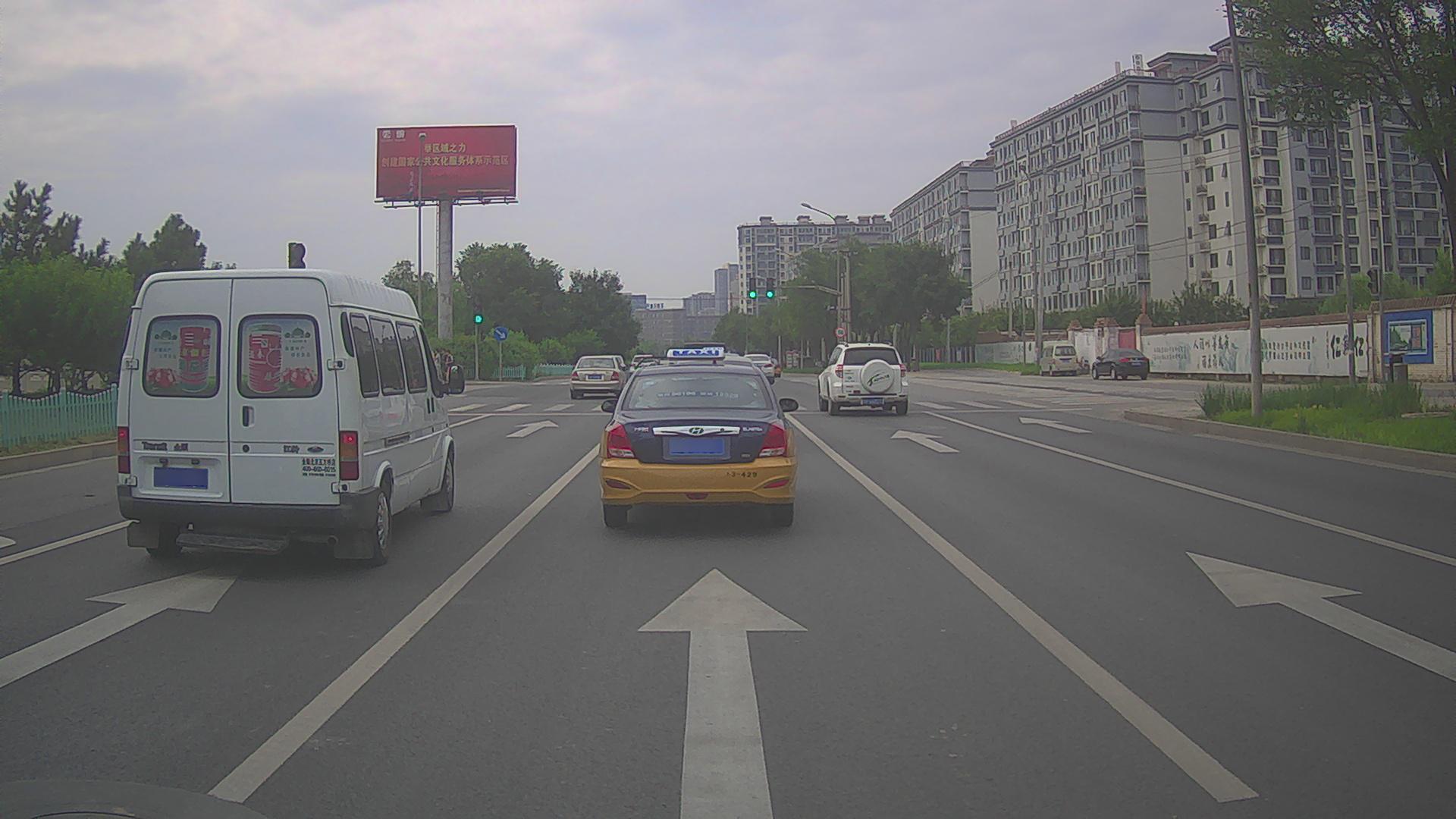
Python code explanation
Use one or more code blocks. After each block, explain what the code does in simple teaching language.
Notebook cell 0: import tensorflow as tf ## pip install tensorflow
import tensorflow as tf ## pip install tensorflowThis code block is extracted from the uploaded Jupyter notebook. Replace or rewrite the explanation later with your final teaching notes for this step.
Notebook cell 1: import numpy as np ## pip install numpy ### shift + enter
import numpy as np ## pip install numpy ### shift + enterThis code block is extracted from the uploaded Jupyter notebook. Replace or rewrite the explanation later with your final teaching notes for this step.
Notebook cell 2: filename = 'image_data//000031.jpg'
filename = 'image_data//000031.jpg'This code block is extracted from the uploaded Jupyter notebook. Replace or rewrite the explanation later with your final teaching notes for this step.
Notebook cell 4: from IPython.display import Image ### first method to read image
from IPython.display import Image  ### first method to read image
Image(filename = 'image_data//000031.jpg',width= 224, height= 224)This code block is extracted from the uploaded Jupyter notebook. Replace or rewrite the explanation later with your final teaching notes for this step.
Notebook cell 6: from tensorflow.keras.preprocessing import image
from tensorflow.keras.preprocessing import image
img = image.load_img(filename, target_size = (224,224))
This code block is extracted from the uploaded Jupyter notebook. Replace or rewrite the explanation later with your final teaching notes for this step.
Notebook cell 7: import matplotlib.pyplot as plt ##conda install -c conda-forge matplotlib
import matplotlib.pyplot as plt ##conda install -c conda-forge matplotlibThis code block is extracted from the uploaded Jupyter notebook. Replace or rewrite the explanation later with your final teaching notes for this step.
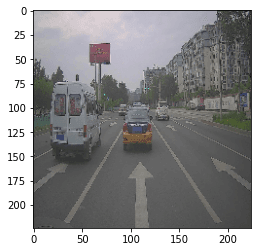
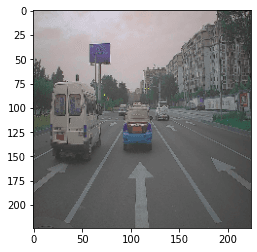
Notebook cell 8: plt.imshow(img)
plt.imshow(img)<matplotlib.image.AxesImage at 0x163ff5d5f88>
This code block is extracted from the uploaded Jupyter notebook. Replace or rewrite the explanation later with your final teaching notes for this step.
Notebook cell 10: import cv2 ### pip install opencv-python
import cv2 ### pip install opencv-pythonThis code block is extracted from the uploaded Jupyter notebook. Replace or rewrite the explanation later with your final teaching notes for this step.
Notebook cell 11: imgg = cv2.imread(filename)
imgg = cv2.imread(filename)This code block is extracted from the uploaded Jupyter notebook. Replace or rewrite the explanation later with your final teaching notes for this step.
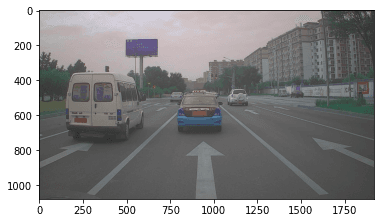
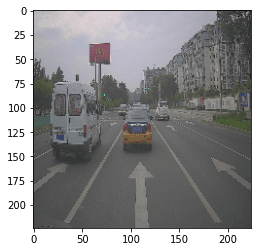
Notebook cell 12: plt.imshow(imgg)
plt.imshow(imgg)<matplotlib.image.AxesImage at 0x163ff8b0e48>
This code block is extracted from the uploaded Jupyter notebook. Replace or rewrite the explanation later with your final teaching notes for this step.
Notebook cell 13: imgg =cv2.resize(imgg, (224,224))
imgg =cv2.resize(imgg, (224,224))This code block is extracted from the uploaded Jupyter notebook. Replace or rewrite the explanation later with your final teaching notes for this step.
Notebook cell 14: plt.imshow(imgg)
plt.imshow(imgg)<matplotlib.image.AxesImage at 0x16382639608>
This code block is extracted from the uploaded Jupyter notebook. Replace or rewrite the explanation later with your final teaching notes for this step.
Notebook cell 15: plt.imshow(cv2.cvtColor(imgg, cv2.COLOR_BGR2RGB))
plt.imshow(cv2.cvtColor(imgg, cv2.COLOR_BGR2RGB))<matplotlib.image.AxesImage at 0x16382066488>
This code block is extracted from the uploaded Jupyter notebook. Replace or rewrite the explanation later with your final teaching notes for this step.
Notebook cell 17: from PIL import Image ## pip install Pillow
from PIL import Image ## pip install PillowThis code block is extracted from the uploaded Jupyter notebook. Replace or rewrite the explanation later with your final teaching notes for this step.
Notebook cell 18: im = Image.open(filename) ## PIL
im = Image.open(filename) ## PILThis code block is extracted from the uploaded Jupyter notebook. Replace or rewrite the explanation later with your final teaching notes for this step.
Notebook cell 19: im = im.resize((224,224))
im = im.resize((224,224))This code block is extracted from the uploaded Jupyter notebook. Replace or rewrite the explanation later with your final teaching notes for this step.
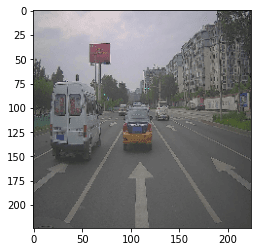
Notebook cell 20: plt.imshow(im)
plt.imshow(im)<matplotlib.image.AxesImage at 0x163820d1ec8>
This code block is extracted from the uploaded Jupyter notebook. Replace or rewrite the explanation later with your final teaching notes for this step.
Notebook cell 22: mobile = tf.keras.applications.mobilenet.MobileNet() ## deep learning model weights -...
mobile = tf.keras.applications.mobilenet.MobileNet() ## deep learning model weights - pre-trainedThis code block is extracted from the uploaded Jupyter notebook. Replace or rewrite the explanation later with your final teaching notes for this step.
Notebook cell 23: ## Creating a model
## Creating a model
## Training a modle
## test or validate
# Predict
This code block is extracted from the uploaded Jupyter notebook. Replace or rewrite the explanation later with your final teaching notes for this step.
Notebook cell 24: mobile = tf.keras.applications.mobilenet_v2.MobileNetV2()
mobile = tf.keras.applications.mobilenet_v2.MobileNetV2()This code block is extracted from the uploaded Jupyter notebook. Replace or rewrite the explanation later with your final teaching notes for this step.
Notebook cell 25: anyone = tf.keras.applications.
anyone = tf.keras.applications.This code block is extracted from the uploaded Jupyter notebook. Replace or rewrite the explanation later with your final teaching notes for this step.
Notebook cell 27: filename = 'image_data//ILSVRC2012_val_00003606.jpeg'
filename = 'image_data//ILSVRC2012_val_00003606.jpeg'This code block is extracted from the uploaded Jupyter notebook. Replace or rewrite the explanation later with your final teaching notes for this step.
Notebook cell 28: from tensorflow.keras.preprocessing import image
from tensorflow.keras.preprocessing import image
img = image.load_img(filename, target_size = (224,224))
This code block is extracted from the uploaded Jupyter notebook. Replace or rewrite the explanation later with your final teaching notes for this step.
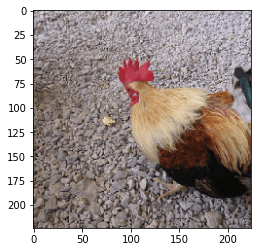
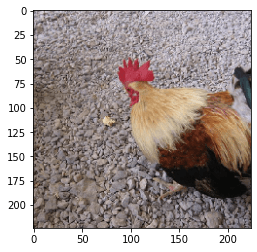
Notebook cell 30: plt.imshow(img)
plt.imshow(img)<matplotlib.image.AxesImage at 0x1638e7b09c8>
This code block is extracted from the uploaded Jupyter notebook. Replace or rewrite the explanation later with your final teaching notes for this step.
Notebook cell 31: resized_img = image.img_to_array(img)
resized_img = image.img_to_array(img)
final_image =  np.expand_dims(resized_img,axis =0)  ## need fourth dimension
final_image=tf.keras.applications.mobilenet.preprocess_input(final_image)
This code block is extracted from the uploaded Jupyter notebook. Replace or rewrite the explanation later with your final teaching notes for this step.
Notebook cell 32: final_image.shape
final_image.shape(1, 224, 224, 3)
This code block is extracted from the uploaded Jupyter notebook. Replace or rewrite the explanation later with your final teaching notes for this step.
Notebook cell 33: predictions = mobile.predict(final_image)
predictions = mobile.predict(final_image)This code block is extracted from the uploaded Jupyter notebook. Replace or rewrite the explanation later with your final teaching notes for this step.
Notebook cell 34: from tensorflow.keras.applications import imagenet_utils
from tensorflow.keras.applications import imagenet_utilsThis code block is extracted from the uploaded Jupyter notebook. Replace or rewrite the explanation later with your final teaching notes for this step.
Notebook cell 35: results = imagenet_utils.decode_predictions(predictions)
results = imagenet_utils.decode_predictions(predictions)This code block is extracted from the uploaded Jupyter notebook. Replace or rewrite the explanation later with your final teaching notes for this step.
Notebook cell 36: print(results)## mobilenet v2 of 2018
print(results)## mobilenet v2 of 2018[[('n01514668', 'cock', 0.95692945), ('n01514859', 'hen', 0.032631382), ('n01807496', 'partridge', 0.0003097788), ('n02437616', 'llama', 0.00014671635), ('n01616318', 'vulture', 0.00013141289)]]
This code block is extracted from the uploaded Jupyter notebook. Replace or rewrite the explanation later with your final teaching notes for this step.
Notebook cell 37: print(results) ## mobilenet v1 of 2017
print(results) ## mobilenet v1 of 2017[[('n01514859', 'hen', 0.5734376), ('n01514668', 'cock', 0.42456666), ('n01807496', 'partridge', 0.00065948046), ('n02342885', 'hamster', 0.00016566401), ('n02364673', 'guinea_pig', 8.980193e-05)]]
This code block is extracted from the uploaded Jupyter notebook. Replace or rewrite the explanation later with your final teaching notes for this step.
Notebook cell 38: plt.imshow(img)
plt.imshow(img)<matplotlib.image.AxesImage at 0x1638e9761c8>
This code block is extracted from the uploaded Jupyter notebook. Replace or rewrite the explanation later with your final teaching notes for this step.
Notebook cell 39: predictions = mobile.predict(final_image)
predictions = mobile.predict(final_image)This code block is extracted from the uploaded Jupyter notebook. Replace or rewrite the explanation later with your final teaching notes for this step.
Notebook cell 40: results = imagenet_utils.decode_predictions(predictions)
results = imagenet_utils.decode_predictions(predictions)This code block is extracted from the uploaded Jupyter notebook. Replace or rewrite the explanation later with your final teaching notes for this step.
Notebook cell 41: print(results)
print(results)[[('n03769881', 'minibus', 0.41444352), ('n04335435', 'streetcar', 0.21348298), ('n02701002', 'ambulance', 0.11573718), ('n06874185', 'traffic_light', 0.04023983), ('n02930766', 'cab', 0.019706426)]]
This code block is extracted from the uploaded Jupyter notebook. Replace or rewrite the explanation later with your final teaching notes for this step.
Download source code
Use this area to provide the complete source code, GitHub repository, Google Drive ZIP, notebook, dataset, or premium download link.
Download Notebook / Source Code